Case study, fintech and payments, 2022 to 2025
Zastrpay POS App
The merchant-facing app betting shop staff use to process QR-based cash deposits, fast, with a queue waiting.
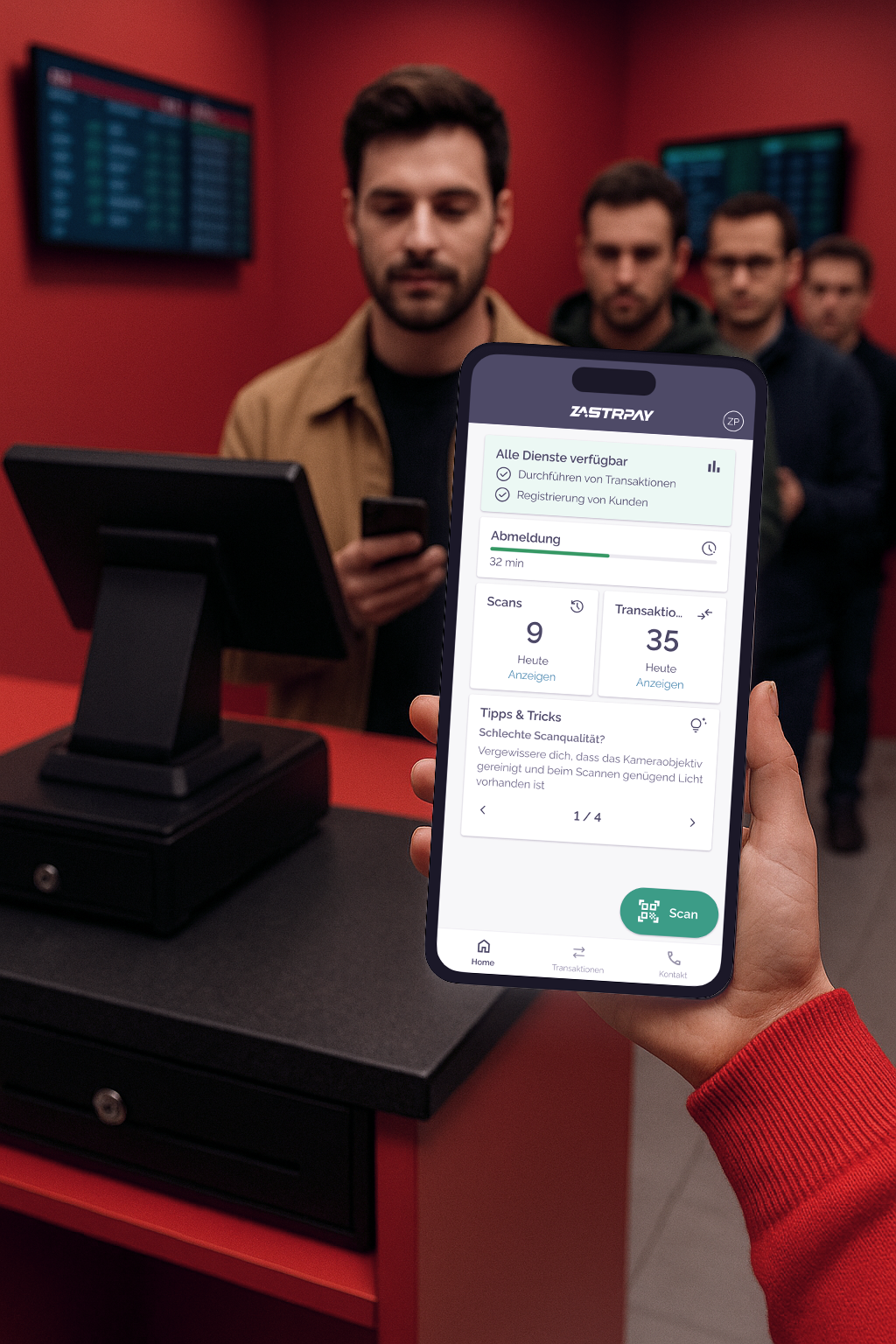
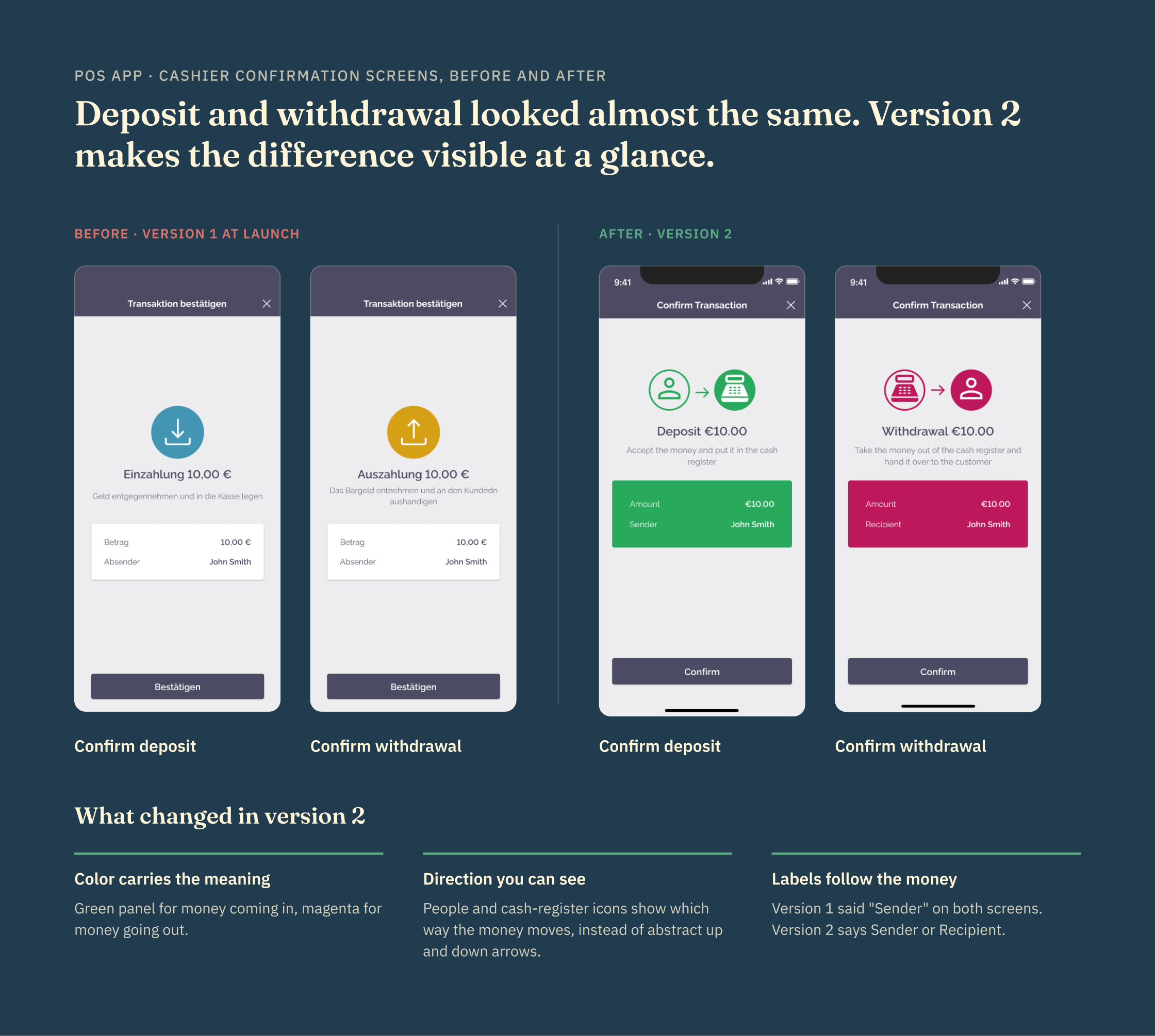
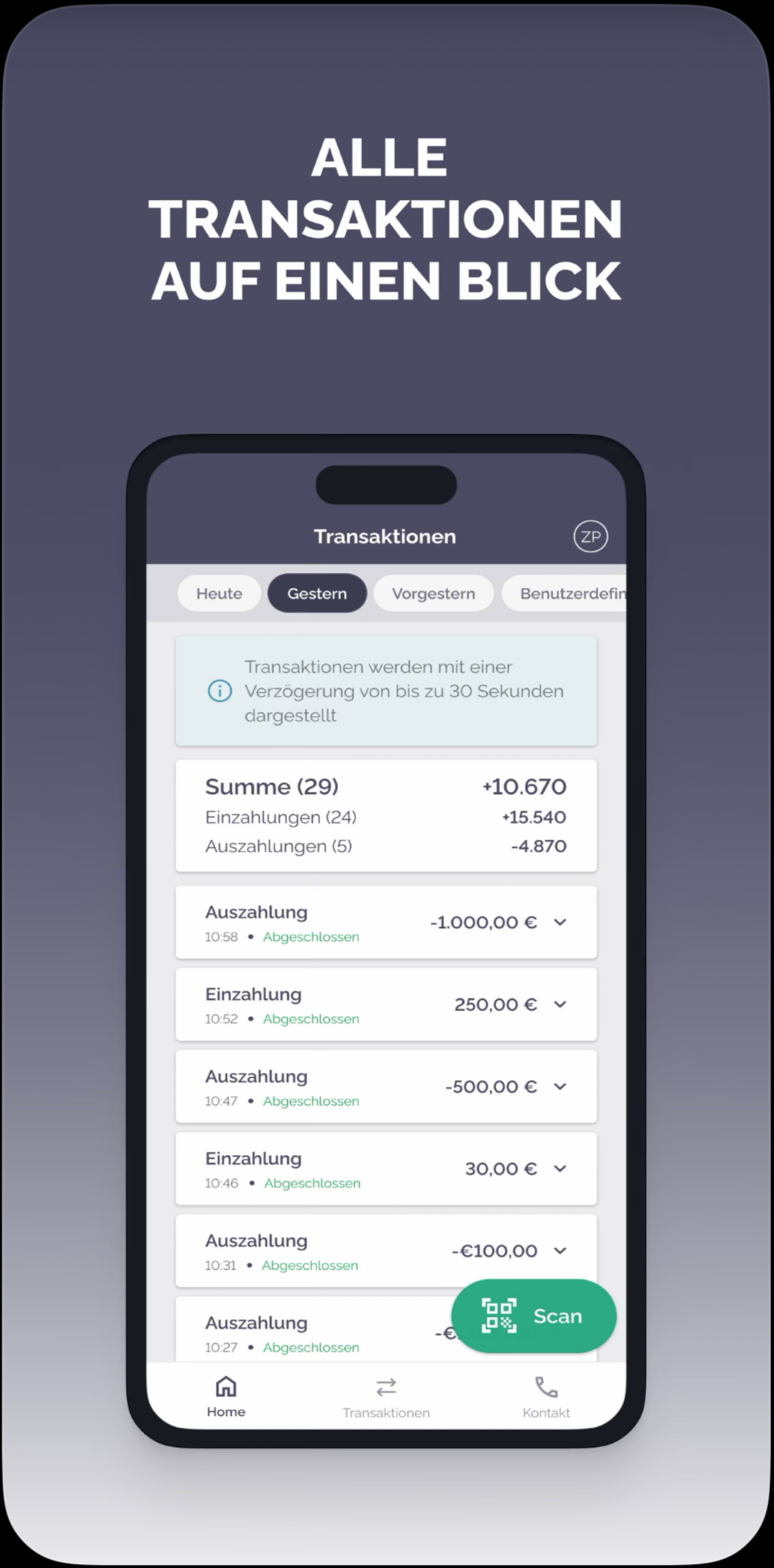
After launch, cashiers under time pressure confused the Confirm Deposit and Confirm Withdrawal screens, which looked almost identical.
Product Designer. I led the redesign and validated it with cashiers after launch.
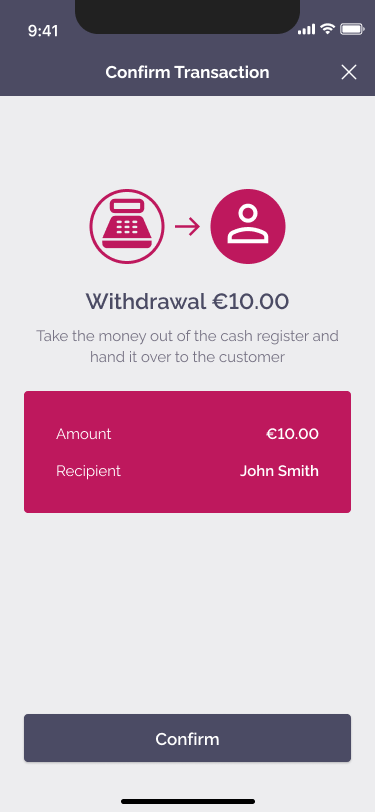
Version 2 separates the two at a glance with colour, direction icons and labels that follow the money. Monitoring showed faster handling and fewer wrong-type complaints.
Overview
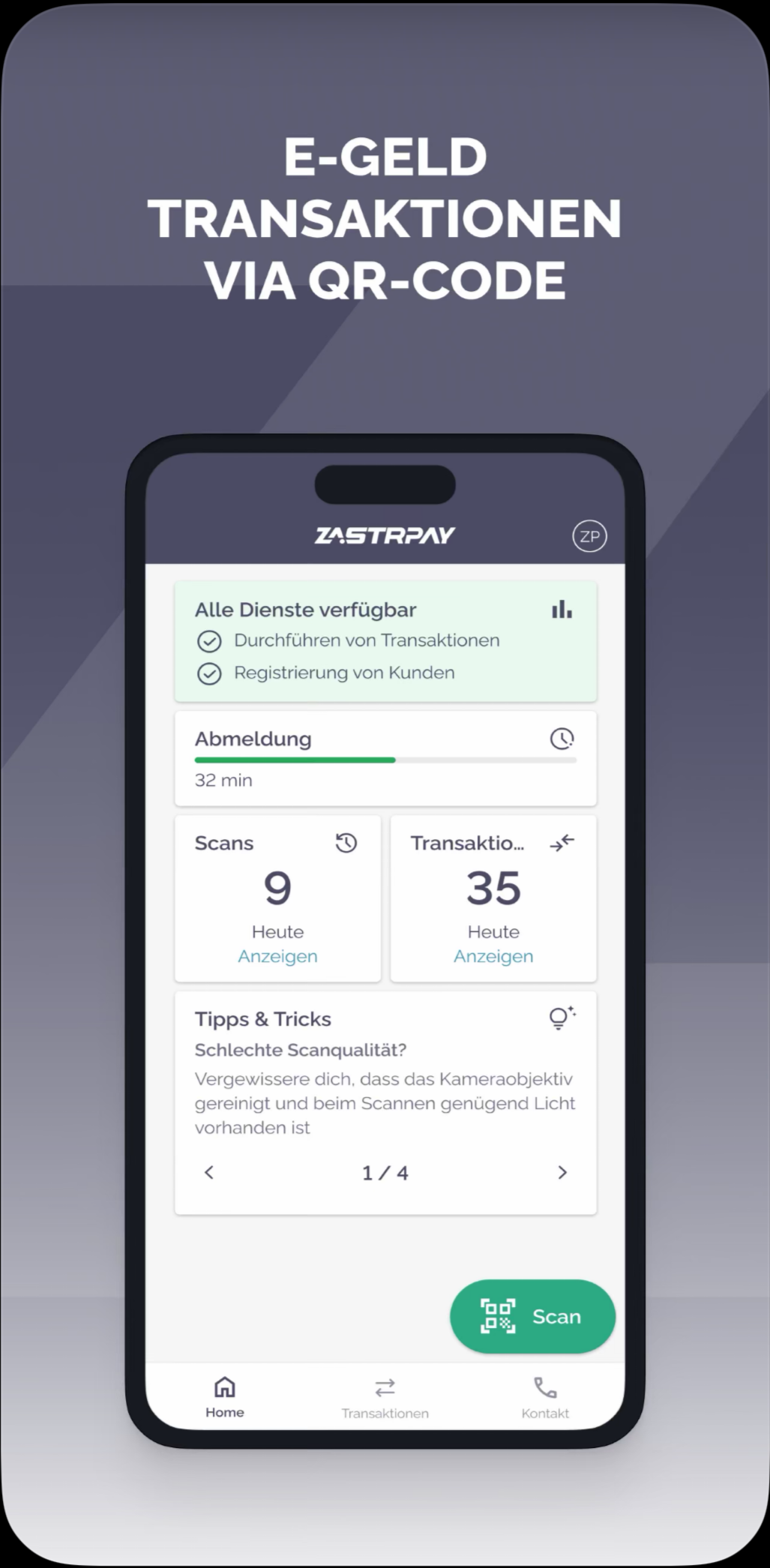
The POS app lets betting shop staff process cash deposits started in Zastrpay's QR system. This is where digital intent meets physical cash, so it directly shapes transaction speed, cashier efficiency, error rates, merchant confidence and deposit completion.
The challenge
- Operational: seconds per transaction, shallow navigation, no ambiguous states.
- Regulatory: AML traceability, transaction logging, validation before confirmation.
- Technical: QR scan accuracy, backend latency, real-time sync with the betting platform.
The UI had to absorb that complexity without showing it.
Rollout and training
The POS flow rolled out region by region across Germany, alongside the customer app's move from cards to mobile deposits. Each region meant training shopkeepers on the till. As more cities came on, cashiers met edge cases no single pilot could surface, and that is how the issue below appeared: a real till, a real queue, real cash.
My role
- Designed the end-to-end POS deposit flow
- Mapped cashier workflows and edge cases
- Worked with retail operations on rollout and training
- Monitored transaction dashboards and behaviour data
- Iterated on complaints and error patterns, refining UI states after launch
Deposit workflow
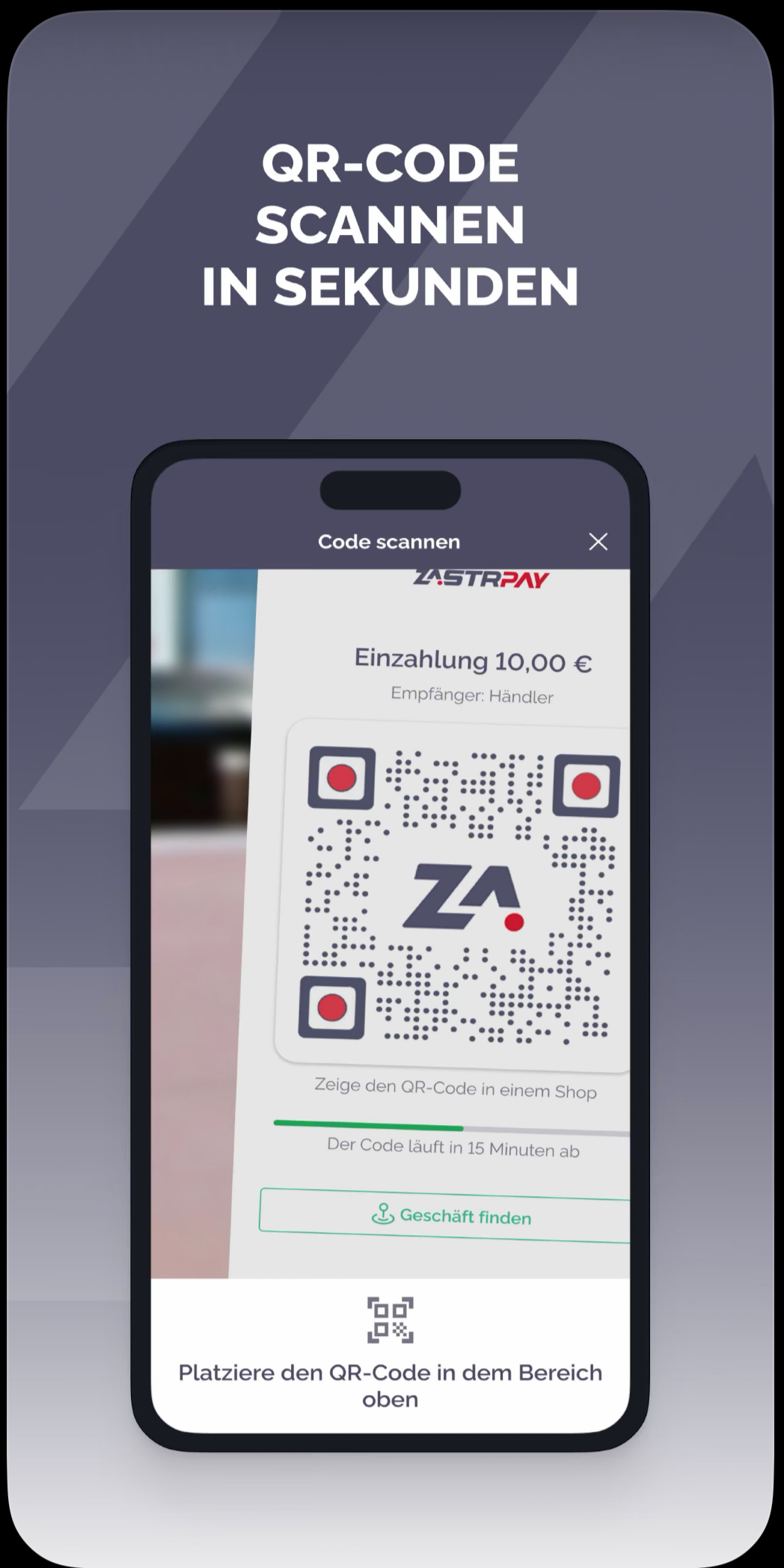
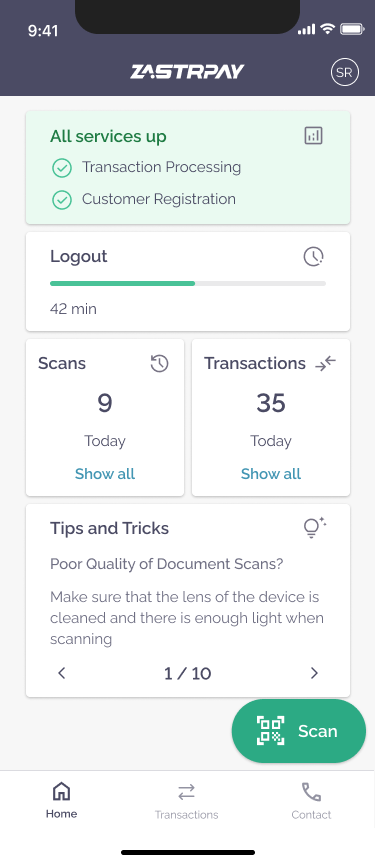
- Cashier opens the scanner
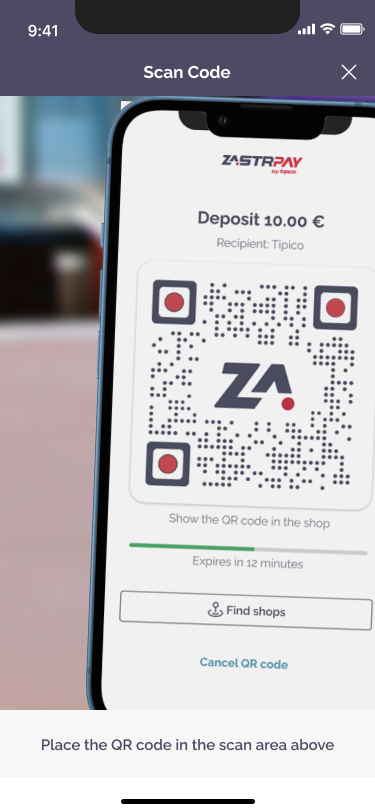
- QR code scanned
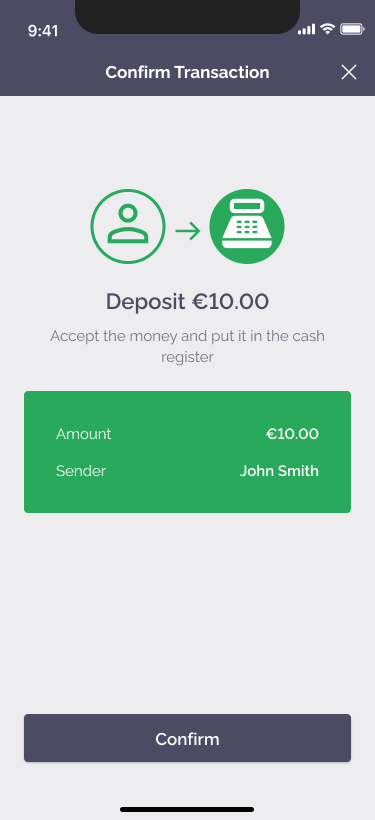
- Amount shown
- Cash collected
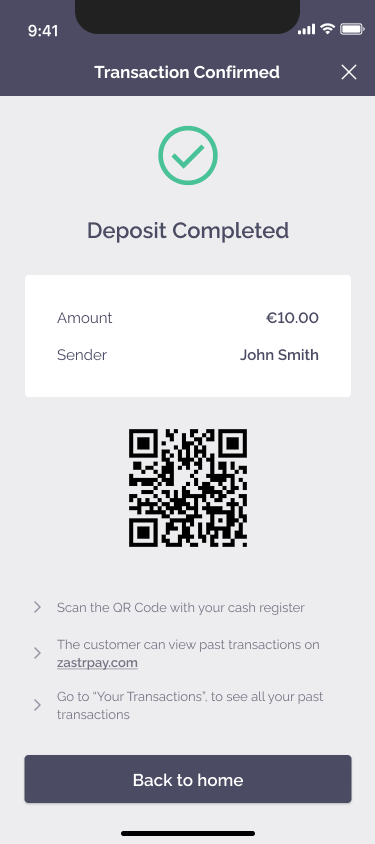
- Confirmation
- Backend validation
- Success or failure state
The goal: no hesitation, minimal thinking.

Prototype walkthrough
The core flow on the cashier side, recorded from the Figma prototype.
Version 1: consistent by design
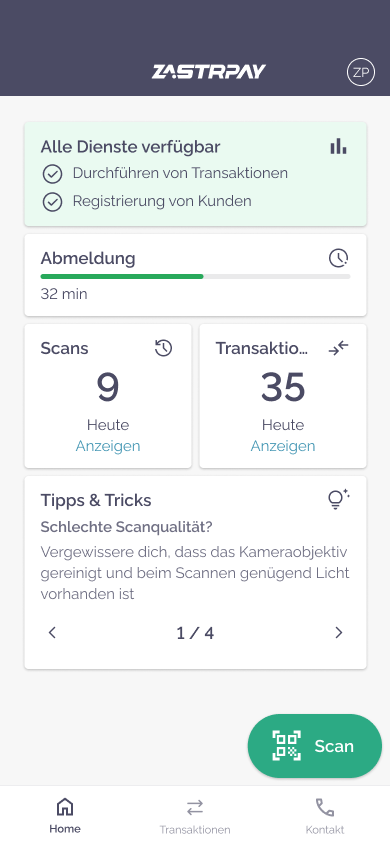
The first version kept deposit and withdrawal consistent: same layout, same confirmation pattern, one colour system. It was a sound starting hypothesis for cohesion and preventing accidental confirmations, and real cashiers tested it harder than any review could.
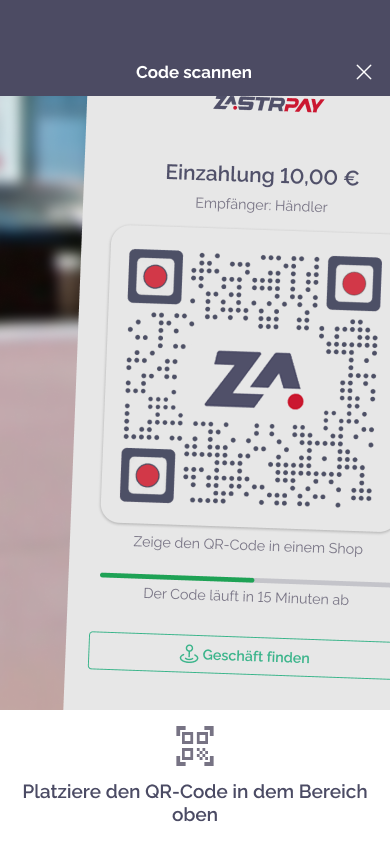
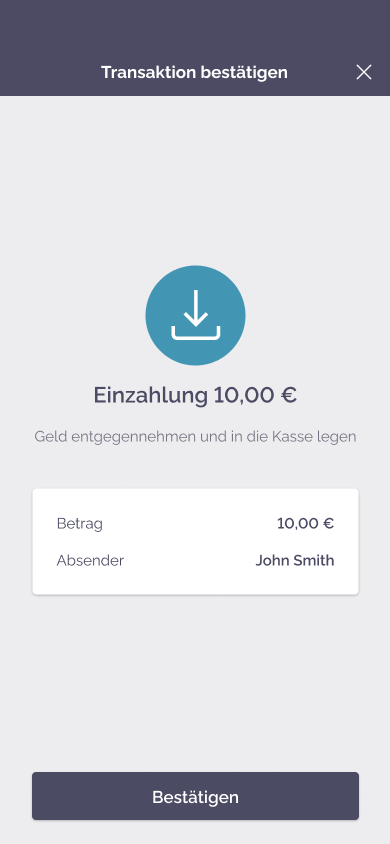
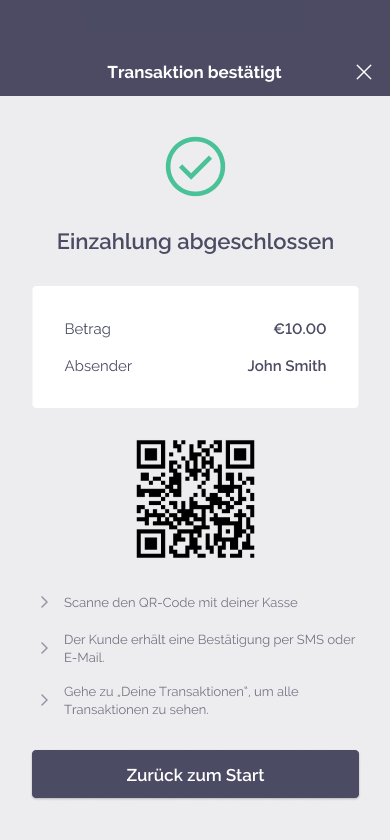
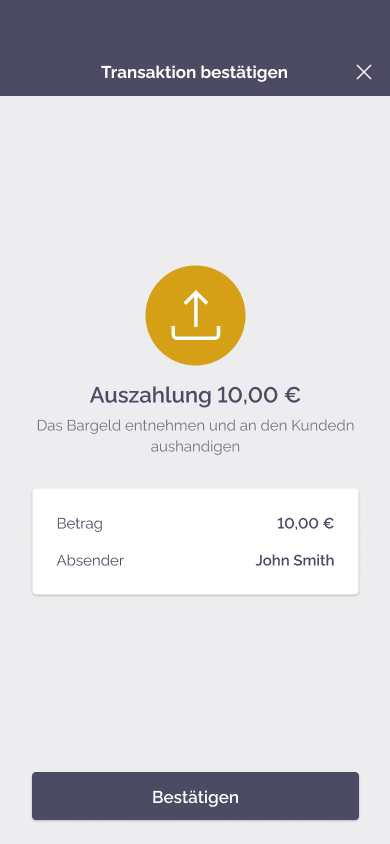
Feedback and iteration
Dashboards and retail feedback showed cashiers couldn't instantly tell deposit from withdrawal. Nothing was broken; it was a rapid-recognition problem.
- Stronger colour difference between transaction types
- Prominent type labels
- More emphasis on the amount
- Distinct confirmation banners
- Adjusted spacing to reduce visual overlap
Version 2
Post-iteration tracking showed shorter handling time, fewer complaints, stable validation accuracy and smooth backend sync, using the same drop-off, scan-error and time-to-confirm measures as every region in the rollout.
In-shop registration
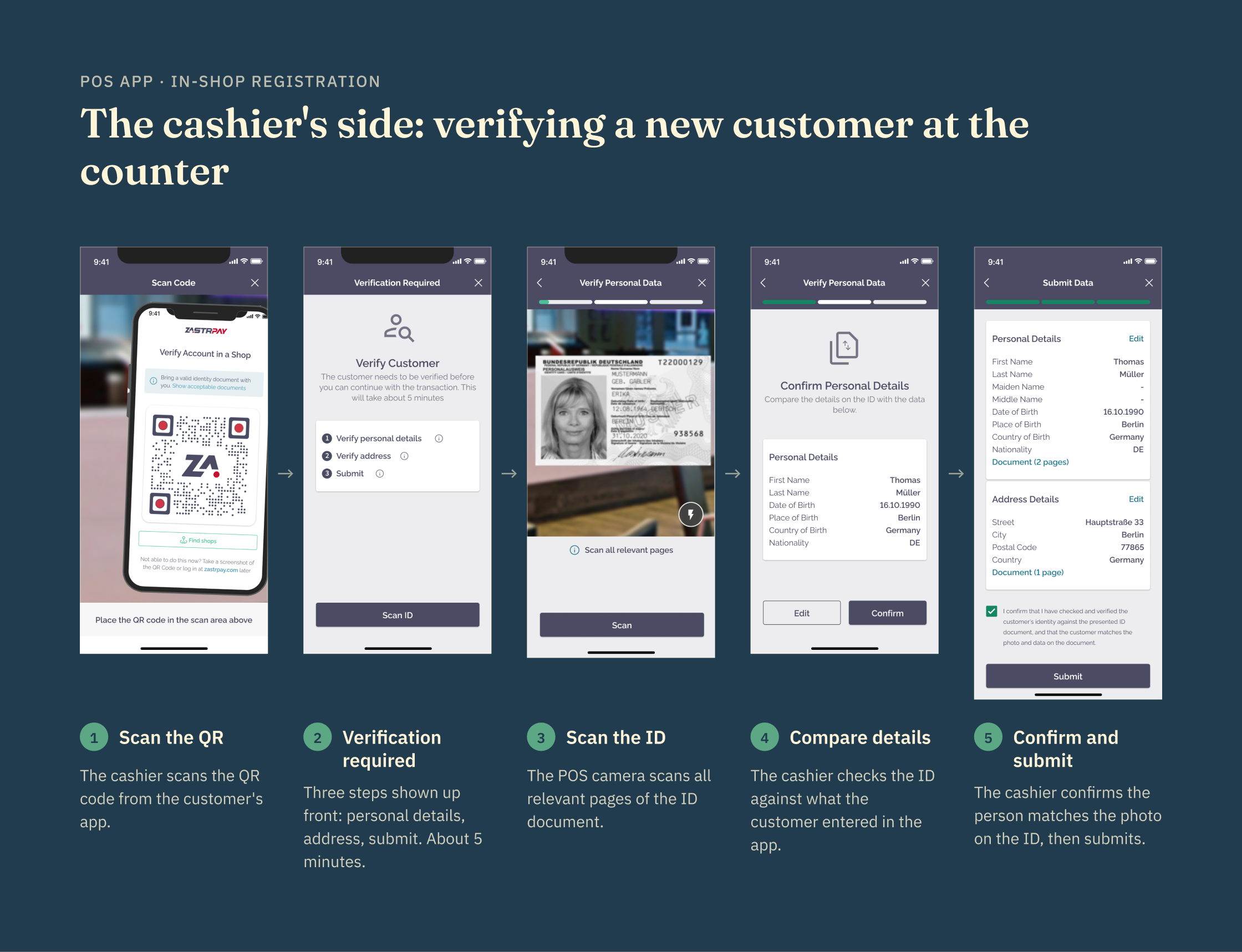
The POS app also finishes customer registration: the cashier scans the customer's QR, checks their ID against what they entered in the app, and submits.
Reflection
The confusion only surfaced because real cashiers used the flow in a live, phased rollout. Next: shadowing cashiers in shops at peak hours, refining micro-interactions, and predicting scan failures before they happen.